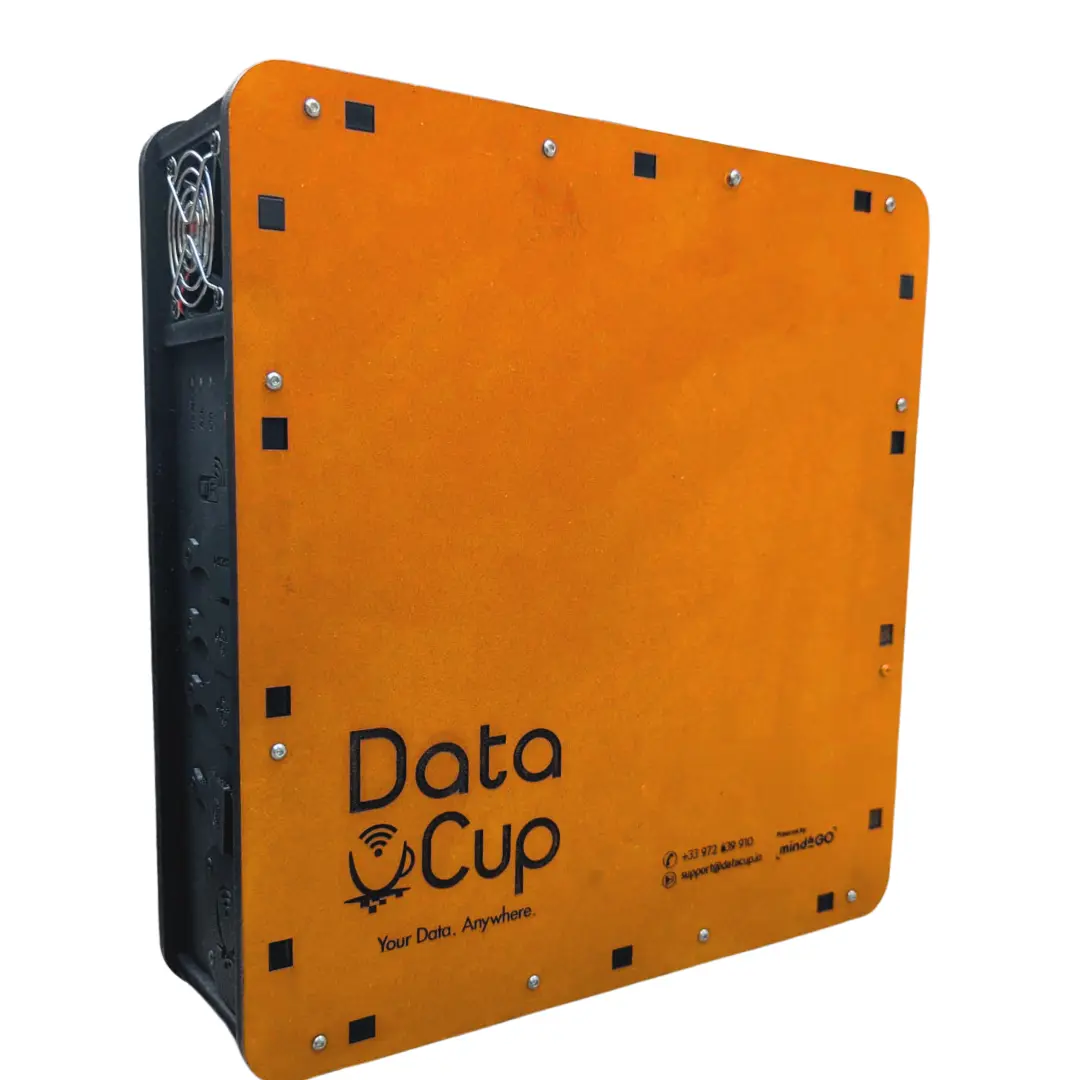
After several months of work, the entire DataCup team is pleased to announce the release of its brand-new DataCup Version 6 box, which includes numerous hardware and software improvements.
As you know, we are strongly committed to avoiding planned obsolescence, which is why all the software enhancements we are about to present can be deployed on previous versions of the DataCup via remote updates*. So please don't hesitate to contact our team to take advantage of this offer.
SUMMARY
Software enhancements to facilitate field deployment and streamline the user experience
Embedded Portal
Multilingual support with support for non-Latin alphabets
Wi-Fi Connection and Captive Portal
404 and 500 pages
DataCup Opening Sequence
Hardware improvements to streamline manufacturing and increase durability
New Connectivity Panel
Direct power supply via a PowerCup
Ensuring the Long-Term Viability of Hardware Architecture
Improving Data Collection in LoRaWAN
Enhancing safety and usage signage
Prevent the Risk of Battery Tampering
Preventing Charger Errors
Raspberry Pi and the logic behind older versions
DataCup Version 6 is now available
Software enhancements to facilitate field deployment and streamline the user experience
First, let’s review that the process for accessing content on DataCup consists of three steps:
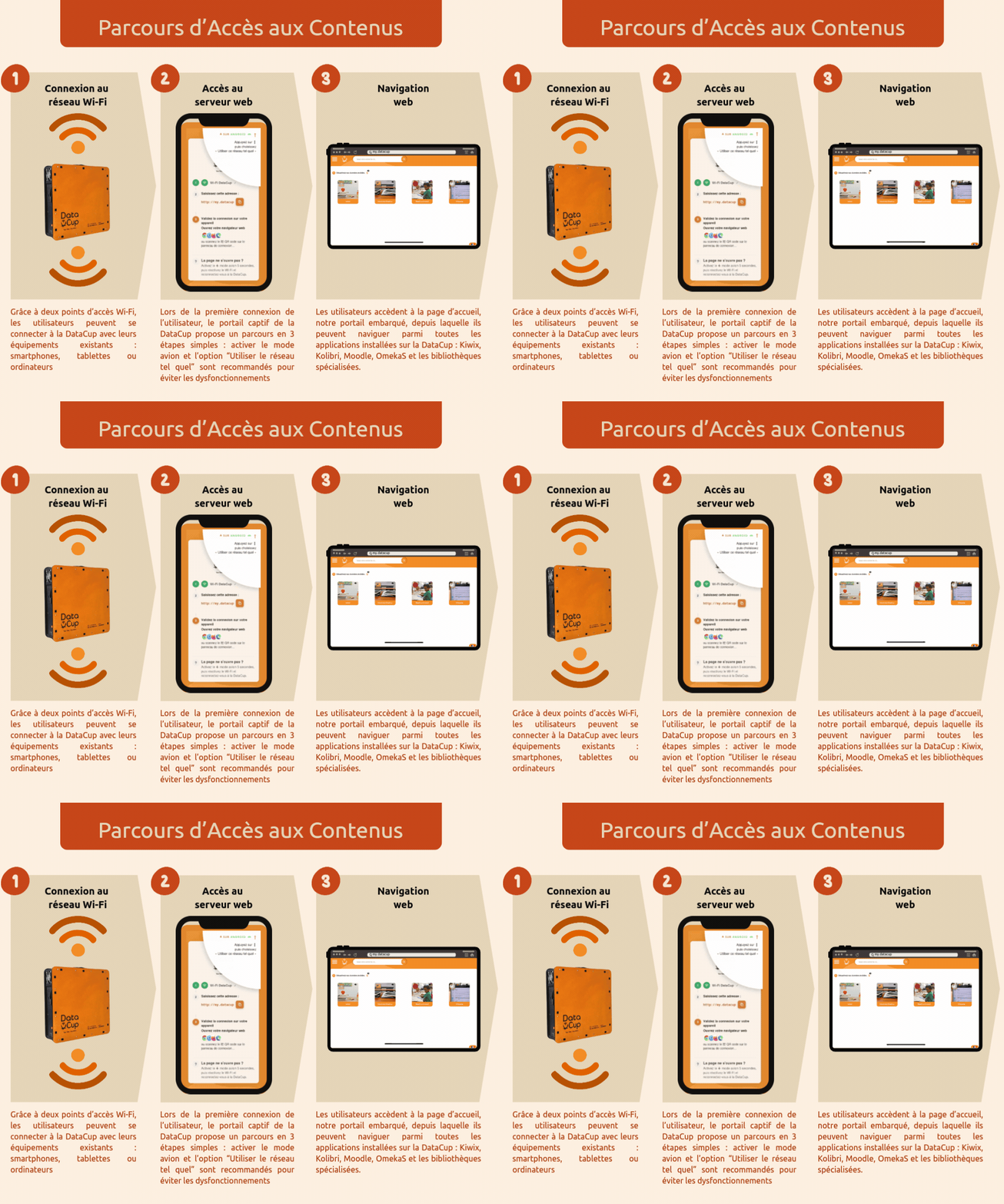
Embedded portal:
Last year, we focused our efforts on the new features of our embedded portal (Step 3): multilingual portal, text-to-speech, and cross-platform search engine. This year, the in-app portal has received several bug fixes, the addition of Bambara (a language spoken in Mali), and the removal of the message “Turn off your mobile data” on computers.
Multilingual support with support for non-Latin alphabets
The addition of Bambara—a language that uses four additional letters compared to the Latin alphabet—has allowed us to overcome all technical barriers to supporting non-Latin writing systems. The embedded portal can now technically be translated into every language in the world. Read our article on this topic to learn more about our approach to translation.
Wi-Fi Connection and Captive Portal
This year, the major software improvements are focused on the other two steps. Valuable feedback from the field and user testing conducted by our partners, along with certain technical advancements, have enabled us to improve the Wi-Fi connection experience and streamline the intermediate step of going through the captive portal.
Find more detailed information on our blog:
- our blog post on combining Wi-Fi access points into a single visible network and implementing load balancing to better distribute users between the two Wi-Fi access pointsi
- our blog post on the captive portal, redesigned based on feedback from the field and actual usage patterns.
404 and 500 pages
We've also customized the 404 and 500 pages. This may seem trivial, but this is not the case.
A 404 page is a web page that appears to indicate that the server could not find the requested resource or address. Aside from cases where the user actually types in an incorrect URL or tries to open a page that no longer exists, the most likely scenario occurs when the user must type the URL my.datacup into their browser to access our embedded portal. This occurs during their very first login. These are all cases where the browser will automatically load the 404 page. We therefore saw these situations as an opportunity: to provide users on the 404 page with every possible way to return to the home page of the my.datacup embedded portal.
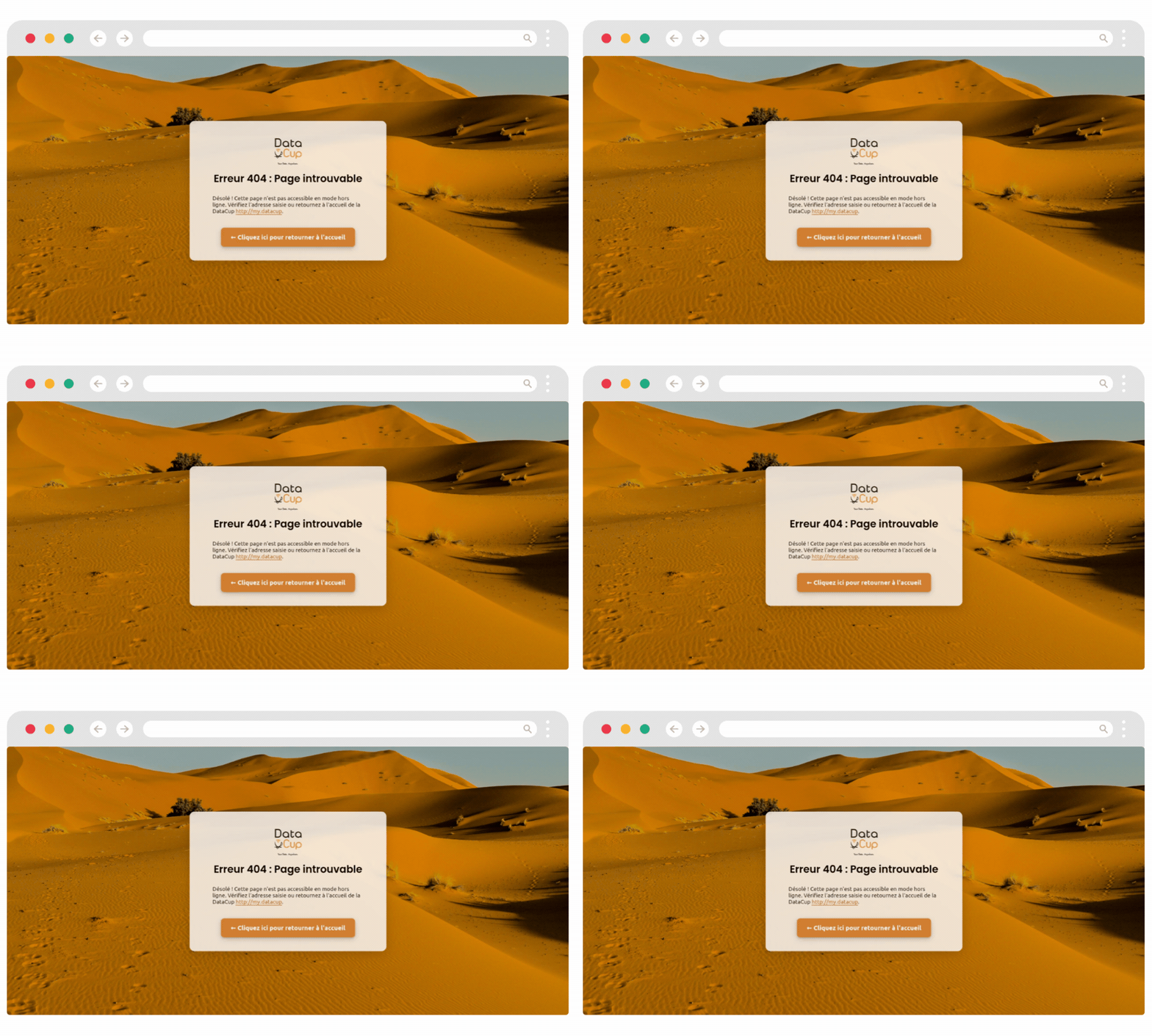
The 404 page contains 3 my.datacup hyperlinks:
- The logo
- The hyperlink directly in the text
- A button with a clear call to action: “Click here to return to the home page.” The button is animated to draw attention.
Of course, if the user is working with a trainer or facilitator, that person will certainly help them type the URL correctly. But if not, the 404 page provides additional support for accessing the content and prevents the user from giving up.
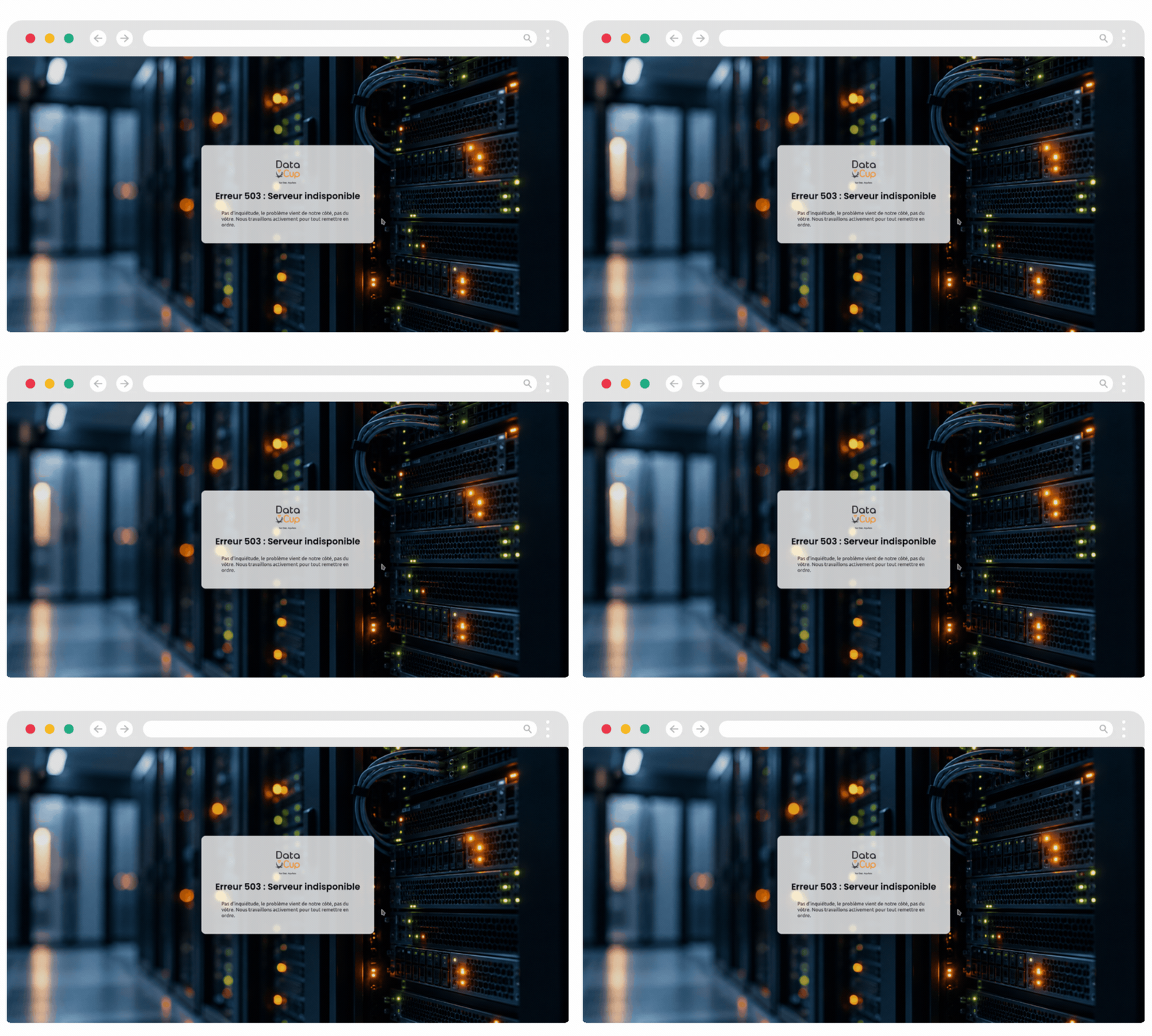
A 500 error page appears when the web server cannot respond to the user’s request. If it appears while the user is logged into DataCup, it indicates that the DataCup web server is experiencing a problem that is not caused by the user. We therefore wanted to reassure the user that the problem was not their fault.
DataCup Opening Sequence
Last but not least, we revised the DataCup startup sequence. This was because we had noticed a few issues, which appeared to be exacerbated by the switch to Trixie (a Linux distribution): malfunctions occurred when a DataCup service attempted to access a peripheral before it had been fully initialized. These devices include, in particular, the two USB ports and the HDMI port: we use them to facilitate on-site maintenance by connecting a wired keyboard and a monitor to them. Peripherals are now detected and initialized before any DataCup software services are started. This reduces the risk of hardware malfunctions caused by synchronization issues during startup.
Hardware improvements to streamline manufacturing and increase durability
New Connectivity Panel
On the hardware side, the DataCup features a new connector panel:
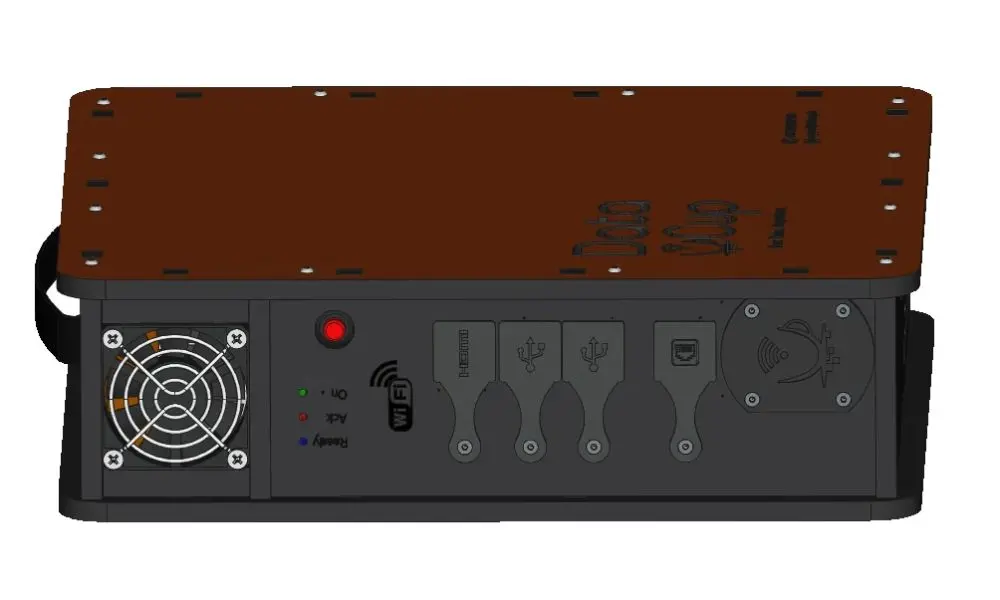
The changes made to the connector panel are as follows:
- Better layout of USB, HDMI, and RJ45 ports
- Reducing internal cable length
- Replacing cables with flat cables/FPCs, which are thinner, lighter, and easier to route in tight spaces
- Assembly of USB, HDMI, and RJ45 connectors directly onto printed circuit boards
This facilitates hardware integration, durability, and maintenance.
The DataCup also includes Wi-Fi access points with a slightly faster processor and lower power consumption. Most importantly, they allow for the addition of external antennas to improve Wi-Fi range. These are infrastructure optimizations that we can provide on request, based on actual needs.
Direct power supply via a PowerCup
In terms of electric range, the DataCup can now be powered directly by a PowerCup without changing its battery, thanks to the addition of a PowerCup connector.
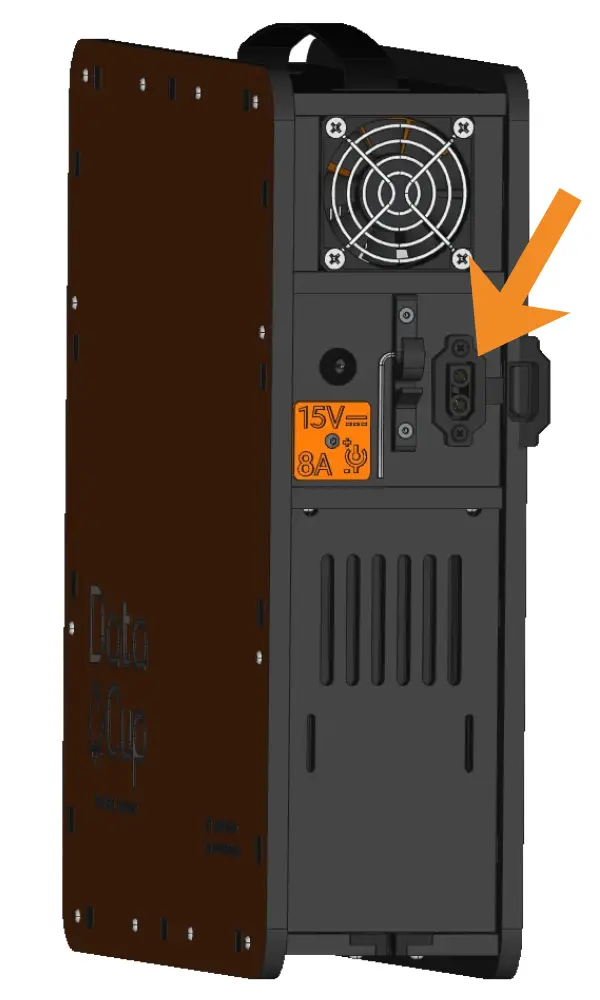
3D side view of the DataCup V6:
AC power connector, PowerCup connector, Allen wrench.
Ensuring the long-term viability of hardware architecture
We have also worked on ensuring the long-term viability of the hardware architecture: indeed, certain components from the previous version are gradually becoming less available on the market. As a result, the circuit board has been significantly modified—a necessary change to ensure the long-term production, repair, and maintenance of the DataCup.
New components, such as the heat sink, remain compatible with older versions: this is the principle of backward compatibility. This allows us to continue maintaining and upgrading older DataCup models—an aspect we value highly and that reflects the values we uphold at DataCup.
Improving Data Collection in LoRaWAN
As part of the CombiFarm project, we will soon be deploying a DataCup with the IoT option in Morocco. With this in mind, we have refined the integration of the LoRaWAN transmission card into the DataCup’s electronics and worked on integrating the antennas.
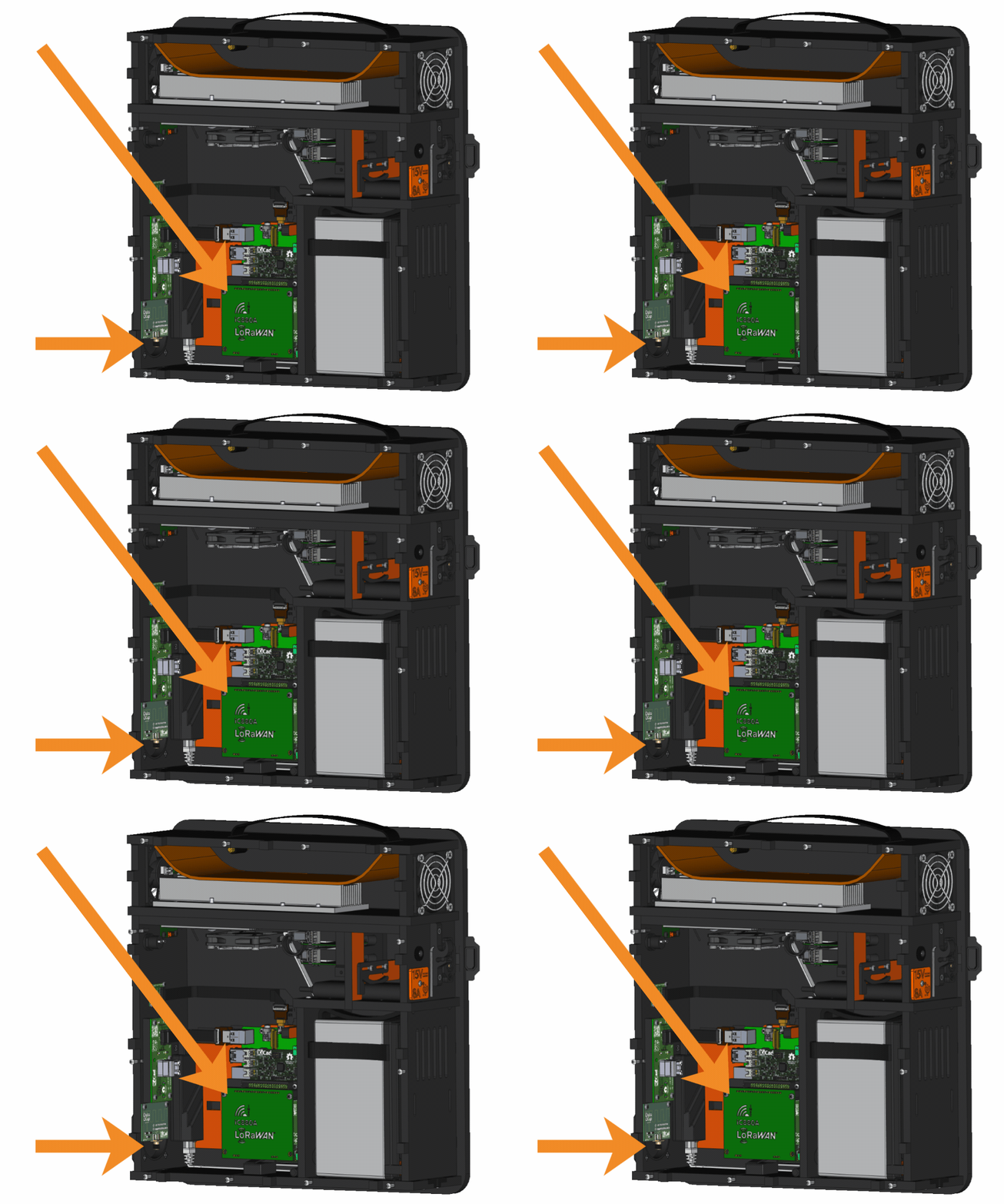
LoRaWAN board and external antenna connection
We can now offer two antenna options:
- an internal antenna with a short range, which is more than sufficient for laboratory projects, for example, and
- an external antenna with a range of up to 8 km, depending on the environment, and suitable for projects requiring coverage of a large area (permit required in some countries).
Sensor data is collected by a SharpStack server, which is directly embedded in the DataCup's main Raspberry Pi 4.
The LoRaWAN option is available for purchase. Data collection requires additional hardware:
- DataCup shields in a quantity equal to the number of sites where you want to collect your data and to which your sensors will be connected
- the sensors needed for your measurements.
We do not manufacture sensors: our approach is to recommend low-cost sensors available from French and international suppliers.
At DataCup, we aim to provide you with an affordable, low-tech data collection solution that can integrate with many standard sensors available on the market. Please feel free to contact us for a quote on your complete installation.
Enhancing Safety and Usage Signs
Prevent the risk of battery tampering
Based on our experience, we have identified risks associated with improper handling of the battery. This 12V 8A battery operates at a very low voltage; therefore, there is no risk of electric shock. However, the risks can still be serious for both people and equipment: short circuits, overheating, burns, sparks, damage to components, or even fire, depending on the battery technology.
Since our partners generally purchase the batteries directly on site, we thought it prudent to include warning stickers in the DataCup packages to be affixed to the batteries to indicate the electrical hazard.
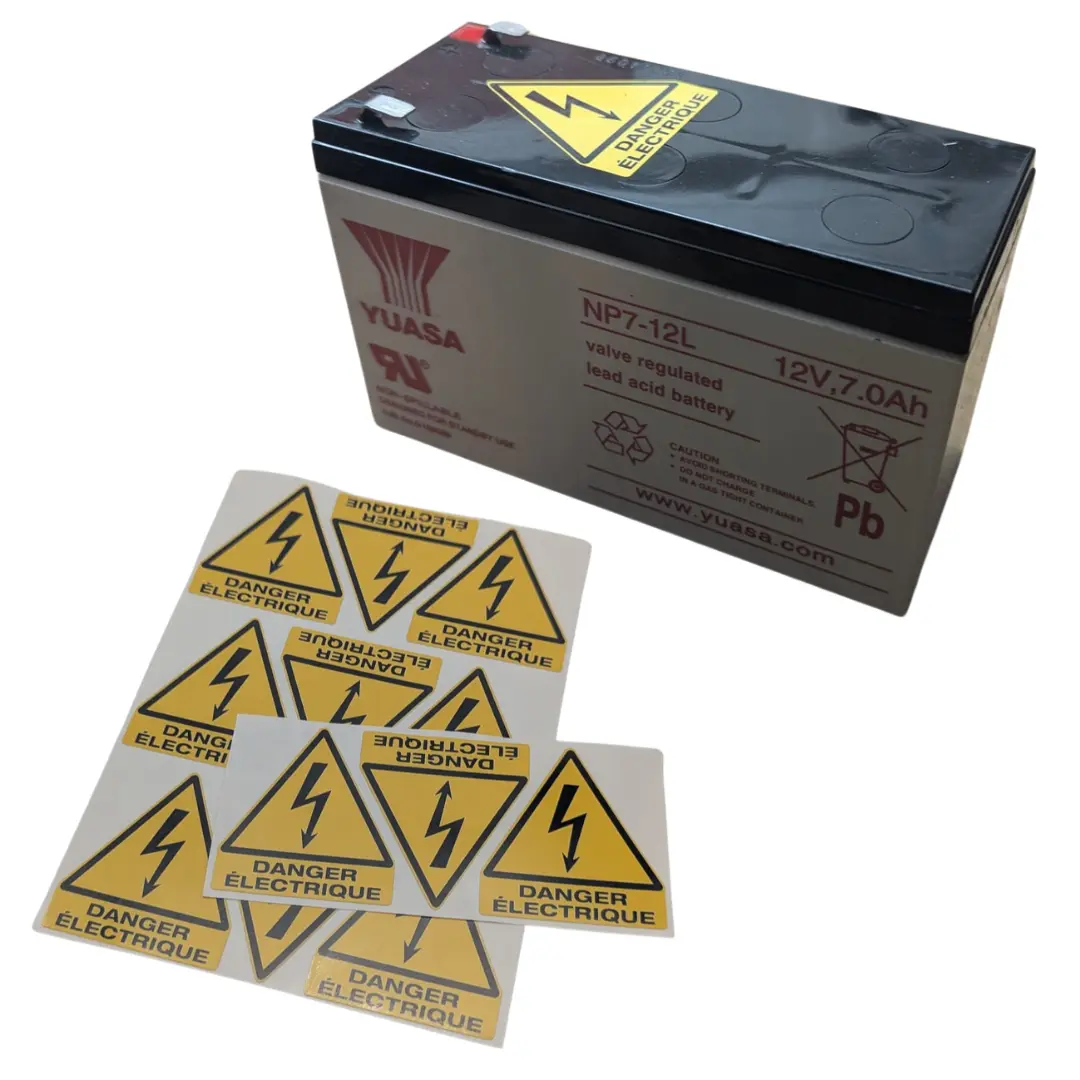
Preventing charger errors
Have you noticed among the people around you (especially among children) that chargers are increasingly being used interchangeably now that USB-C has become widespread? This means the same charger can be used to charge a laptop, a tablet, or a smartphone.
However, chargers aren't compatible with all devices! It depends on the voltage, current, and electrical specifications of the device.
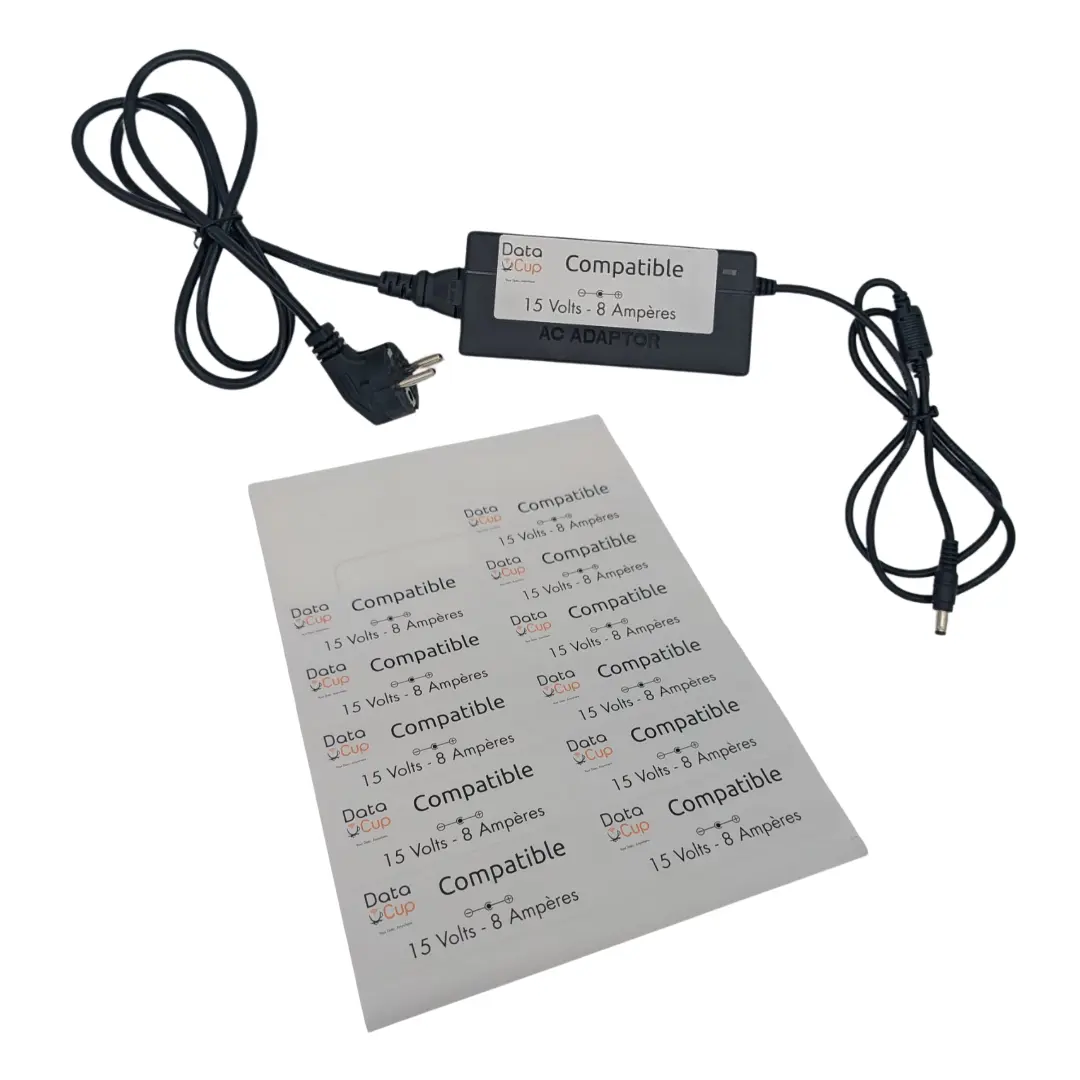
To prevent the use of a charger that is not compatible with the DataCup—which could damage its electronics—we have added labels to the chargers included with the DataCups to clearly indicate their compatibility.
The DataCup operates on a 12V, 8A power supply, so it is important to always use a charger that is compatible and meets its specifications.
Do you already own a DataCup? Contact us today to receive these labels in PDF format so you can print them and attach them to your existing chargers. This will help your teams avoid any errors in use.
Finally, you may not have noticed, but we’ve gone straight from Version 4 to Version 6. Skipping two versions is unusual. How did that happen? Here’s an explanation.
Raspberry Pi and the logic behind older versions
Previous versions of DataCup were historically tied to the generations of Raspberry Pi used:
- DC3 => Raspberry Pi3,
- DC4 => Raspberry Pi4
The “low-tech” principle that guides our decisions led us to evaluate whether switching to the Raspberry Pi 5 was warranted. Did upgrading to the latest generation address a real need? We also pay close attention to the power consumption of each component in a DataCup, since electricity is often scarce in the areas we visit. Based on our tests and considerations, we decided not to include the Raspberry Pi 5 in the new version of the DataCup. The additional performance capabilities of the Raspberry Pi 5 did not, in fact, address any identified functional need for the DataCup’s current uses and require more electricity, which would have reduced the battery life of the DataCup when running on battery power.
To avoid any confusion with this historical numbering scheme and to highlight the extent of the changes made, the new version was named DC6.
DataCup version 6 is now available
We are proud to have successfully completed these software and hardware updates, marked by the transition to version 6. These updates focus primarily on the login process and the integration of the LoRaWAN option. The DataCup v6 has been available for purchase for several weeks. We invite you to contact us to discuss your project and explore possible use cases.
And if you have a DataCup, be sure to ask us to update it(*).
*Des frais peuvent s’appliquer. Compatibilité des mises à jour à confirmer selon votre matériel.
 Duddal
 SOS Village d'Enfants Niger



DataCup V6 is here: Check out what's new