Introduction to MOODLE :
Moodle is an open-source Learning Management System (LMS), created in 2002 by Martin Dougiamas, a developer and researcher in educational technologies. The project was designed to provide teachers and educational institutions with a flexible and customizable tool to organize and deliver online courses, while creating an interactive and collaborative learning experience for students. Today, Moodle is one of the most popular learning management platforms in the world, used by millions of teachers, students and administrators in various educational settings, from primary schools to higher education and in professional environments.
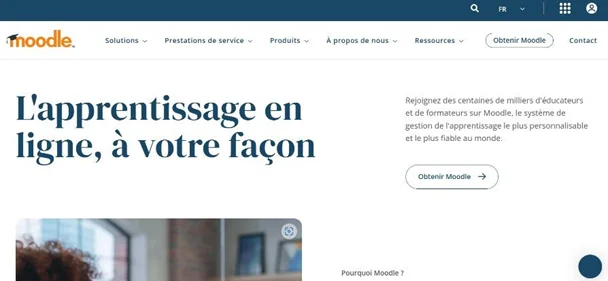
Moodle is much more than just an online course management tool; it is a comprehensive solution for managing distance learning and in person, which offers maximum flexibility for both teachers and students. The goal of Moodle is to enable effective management classes while promoting interactivity, student collaboration and engagement. This allows teachers to create rich and dynamic while still having the full control over the structure and content.
For these reasons, as well as for our familiarity with this platform and in response upon request based on feedback from our partners in the field, we have decided to roll out the Moodle app for the DataCup.
Who is Moodle designed for?
Moodle is used in various contexts: primary schools, middle schools, high schools, universities, as well as in professional environments for continuing education. Its use is particularly widespread in higher education, where it is used to manage online or hybrid courses, but also in companies to provide employee training.
Using Moodle online and offline
For users
Users can easily navigate through courses, modules, and learning content. Teachers can organize courses in blocks, thematic units, or multimedia resources, allowing students to progress at their own pace. Students can explore a variety of content (text, video, quizzes, etc.) while having a clear overview of the entire course.
For teachers
Moodle enables teachers to upload educational resources in the form of texts, PDF documents, presentations, videos, and more. Students can access these resources at their convenience. In addition, Moodle offers a progress tracking system that allows students to see where they are in their learning journey and what sections remain to be completed.
Moodle's online and offline features
- One of Moodle’s main features is its system of forums and online discussions. Students can interact with their peers and teachers, ask questions, address issues, and exchange ideas. These forums can be organized by topic, thus creating a collaborative and dynamic learning environment. Additionally, teachers can use these forums to provide feedback and guide discussions.
- Interactive exercises and quizzes: Moodle allows you to create interactive exercises and quizzes, which can be used to assess students' knowledge through assessments. Teachers can set up
multiple-choice questions, practical exercises or open-ended questions. These quizzes are automatically graded, allowing students to receive immediate feedback on their performance.
- In addition to formative assessments, Moodle allows the organization of secure and controlled online exams, with the possibility of applying time limits, access windows, restrictions, and more. These exams can be conducted in a fully secure virtual environment.
- Another key feature of Moodle is the ability for teachers to monitor and analyze each student's progress. Through a series of tracking and analytics tools, teachers can see which students have completed a module, who has answered a quiz correctly, or who has actively participated in online discussions. This allows them to adapt their teaching methods to meet each student’s specific needs.
- Moreover, Moodle allows for advanced personalization of the learning experience. Each student can follow a learning path adapted to their needs, and the teacher can offer additional content or specific activities to meet individual learners' requirements.
- Interoperability with major e-learning standards : Moodle supports SCORM (Sharable Content Object Reference Model), xAPI (also known as Tin Can API), IMS Common Cartridge and LTI (Learning Tools Interoperability), that allow you to import and export educational content between different platforms without having to recreate it from scratch. So, if you’ve already created online courses using third-party tools, such asArticulate Storyline, Adobe Captivate or iSpring, You can easily import these modules into Moodle. In addition, the courses you create in Moodle can easily be exported in these formats for import into other LMS platforms. This is a major strategic advantage: it ensures the longevity of content, reduces production costs, and facilitates migration from one platform to another. However, the compatibility between formats must be considered carefully: the more a course utilizes Moodle’s advanced and specific features, the more complex the migration to another platform will be. This is a critical factor to anticipate from the very beginning of course design.
Collaborative tools
Moodle encourages collaborative learning through tools such as wikis, forums, work groups, and shared assignments. These tools allow students to work together on projects, exchange ideas, and produce collaborative work. The platform also facilitates the creation of discussion groups or group projects, which reinforces collaboration and co-construction of knowledge.
Accessible Interface
In terms of accessibility, Moodle is designed to be accessible to everyone, with a clear and easy-to-use interface. Additionally, the platform offers multilingual options, allowing it to be used in various languages and adapted to diverse cultural contexts. It is also accessible to people with disabilities, thanks to adaptive tools and an interface that meets accessibility standards.
Add-on modules and plugins
Extend Moodle with video conferencing tools, gamification, digital library management, and more. Note: not all plugins are available in offline mode. Contact us for a personalized assessment.
Free and Open Source
Moodle stands out for its open-source nature, which means users can access the source code and modify the platform to meet their specific needs. This allows for great customization of the interface, functionalities, and modules. Educational institutions, companies, or organizations can tailor Moodle to their specific requirements, create plugins, or integrate other systems with the platform.
Moodle Offline By DataCup
Our mission is to bridge the digital divide. That's why we built the DataCup, an offline Internet box that makes digital tools accessible without Internet connection. Connect to the DataCup's local Wi-Fi. Access Moodle and a full suite of digital resources directly from your browser. No installation. No Internet required. SOS Villages d'Enfants in Niger and Medersat.com network schools in Morocco have been using Moodle Offline on their DataCups for months. → See our field projects
Moodle: Strengths and Limitations
What Moodle does well
- Designed for all ages — from young learners to adult professionals.
- Free and fully open source.
- Highly customizable to your context and audience.
- A large library of existing courses ready to import.
- User-friendly interface with extensive documentation
- Active global community ensuring long-term support.
What to plan for
- Building an effective course takes real investment from your teaching team.
- Content must be prepared and adapted to your learners' level before deployment.
- There's a learning curve for first-time users. We recommend onboarding support for project leads and facilitators.
- The interface can feel dense with many options and modules — accessibility may require guidance.
How DataCup supports you
The Moodle application works both online and offline on a DataCup. When we pre-load your DataCup with the Moodle application, you can then upload existing Moodle courses you may have and create your own courses directly. You can either upload additional digital resources to OmekaS and then embed them in Moodle, or use the media upload feature in Moodle. Embedding media from the Internet will require an Internet connection. Once the courses are created with your resources, the entire course is available on your DataCup, without the need for an Internet connection.
In addition, end users do not need to install anything on their devices (smartphones, tablets, computers, etc.). They connect to the DataCup via Wi-Fi and access/navigate the Moodle application using their usual browser (Microsoft Edge, Firefox, Chrome, Safari, etc.).
Depending on your project, your goals, and your target audience, we work closely with our partners from the very beginning of the project and provide ongoing support:
- Together with your teams, we’ll help you select the most appropriate content from what’s available to best meet your expectations and needs based on your target audience (children, teens, adults, teachers, farmers, etc.).
- We offer training for your teams to help you get started with your DataCup, covering both hardware and software, while taking your on-site objectives into account.
- With up to 4 TB of storage, you can upload as many files as you like to the DataCup without worry and enjoy personalized content.
- To facilitate communication, monitoring, adaptation, and the resolution of potential issues, we remain available and reachable through our ongoing support.
Conclusion
Moodle is a powerful, free and flexible learning platform. Paired with the DataCup, it becomes accessible anywhere — no Internet required.
Whether you're running a school in a remote village or training staff in a low connectivity environment, Moodle Offline with DataCup puts quality education within reach.